There are times when a score is entered incorrectly on a game day. Below we will show you the steps needed to correct those scores so they will help in calculating the correct ranking results. If you are not concerned about the rankings, please go to Step 2.
Changing Scores After Game Day Completed
TABLE OF CONTENTS
Changing Scores after a Game Day is Complete
- 1. Changing scores so they will reflect in rankings.
- 2. Changing Scores and not concerned about rankings update.
1. Changing scores so they will reflect in rankings.
Click on Game Days to select the Game Day you are needing to adjust
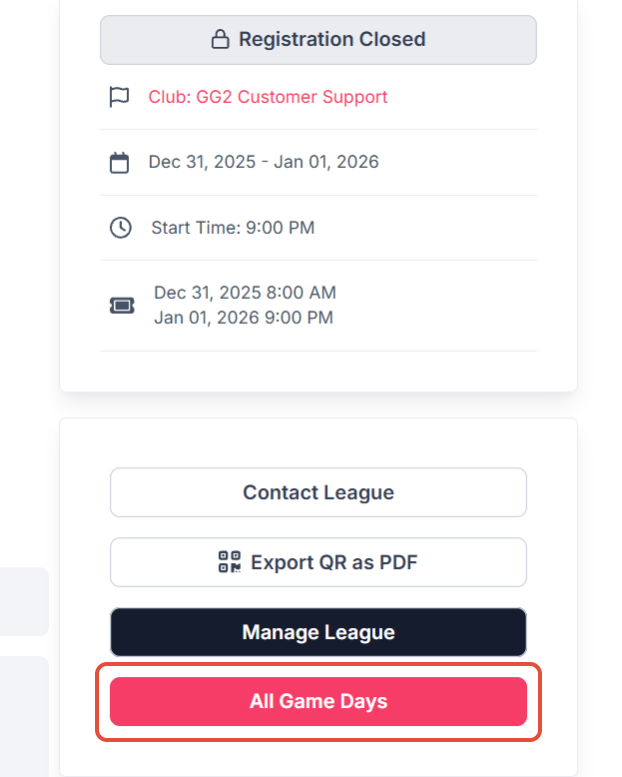
Before you take the next step, insure that you have all scores for any corrections needed.
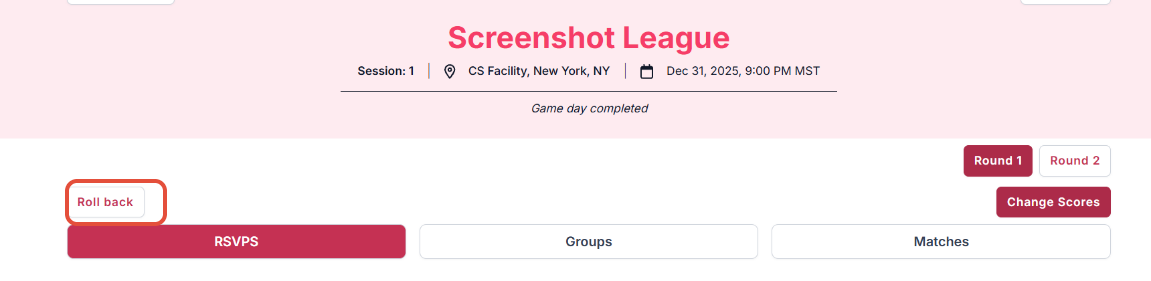
Click on Roll Back - IT IS VERY IMPORTANT TO READ THE NEXT SCREEN BEFORE PROCEEDING SO YOU DON'T LOSE THE SCORES ENTERED.
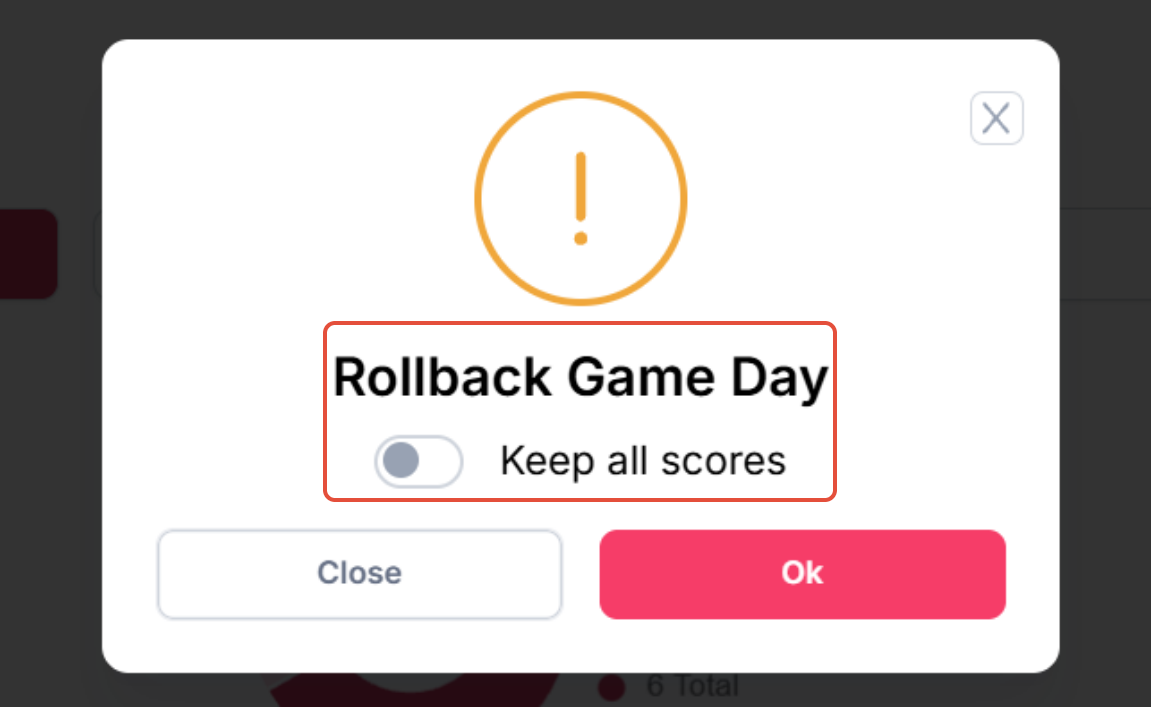
This next screen, if you are not reentering all scores, be sure it reads Keep all Scores, then press OK.
If you are rolling back more than one game day, the Rollback Game Day will need to be clicked on to Remove Scores. BE SURE YOU PRINT OUT THE SCORES OR HAVE ALL SCORESHEETS AVAILABLE TO REENTER SCORES.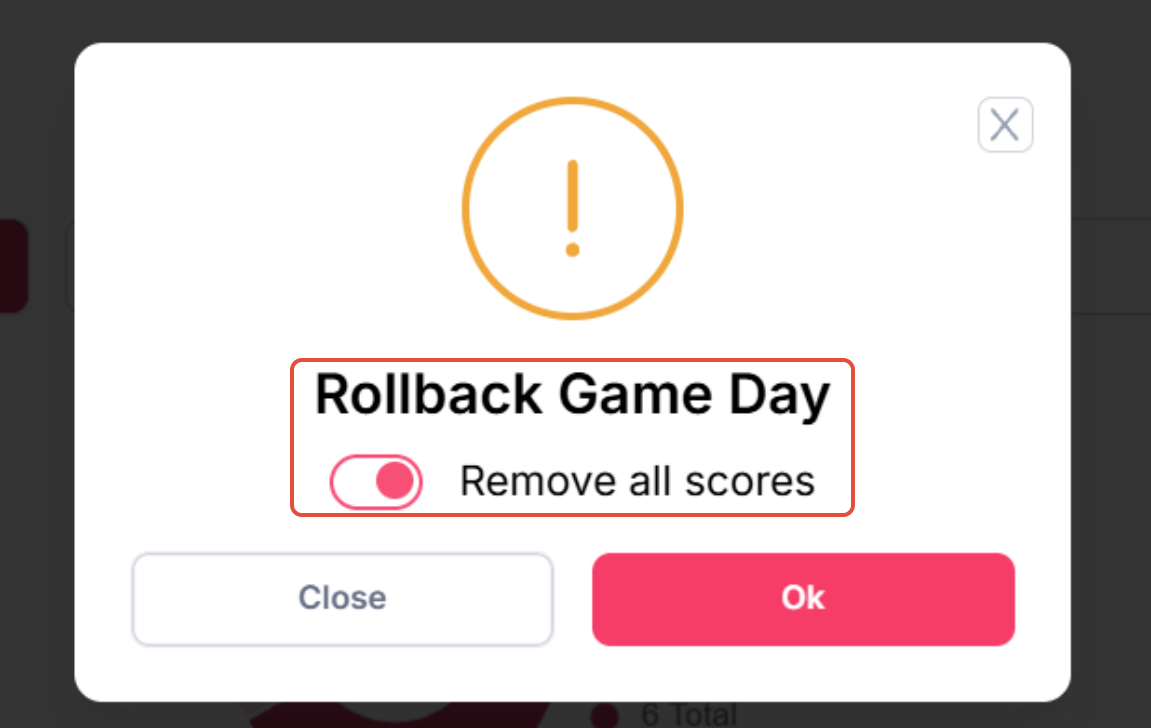
This will take you to the Game Day, Click on Matches and select the group you are needing to correct.
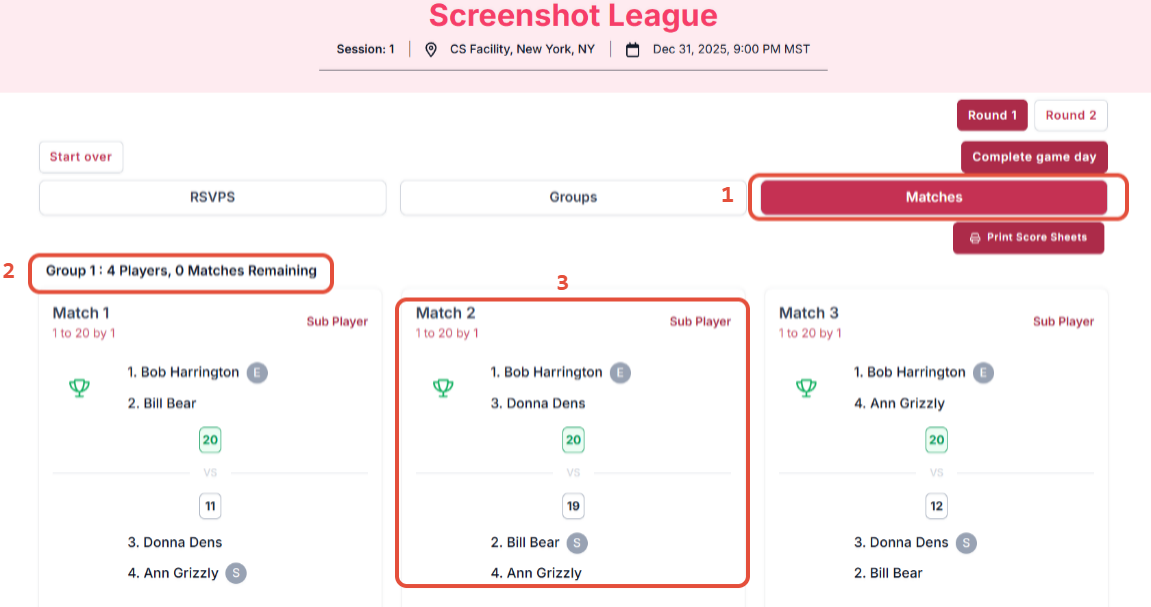
- Click on Matches to get to the matches area
- Click on the Group you need to correct - this will have a drop down if you have more than one group.
- Click on the game you are needing to correct and this will bring up the scoresheet to correct
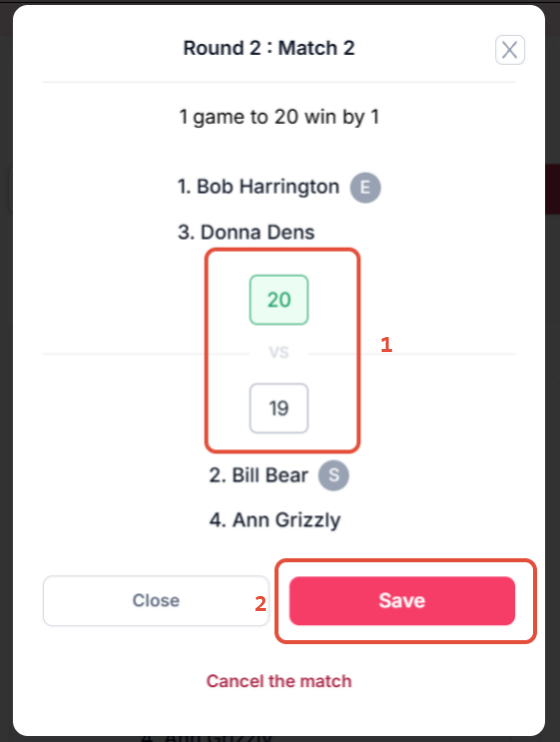
- Click on the score box that needs to be changed
- Click on the Save button to insure the score has been corrected
Once all scores have been completed, be sure to select Complete Game Day. This will recalculate the rankings for this game day.
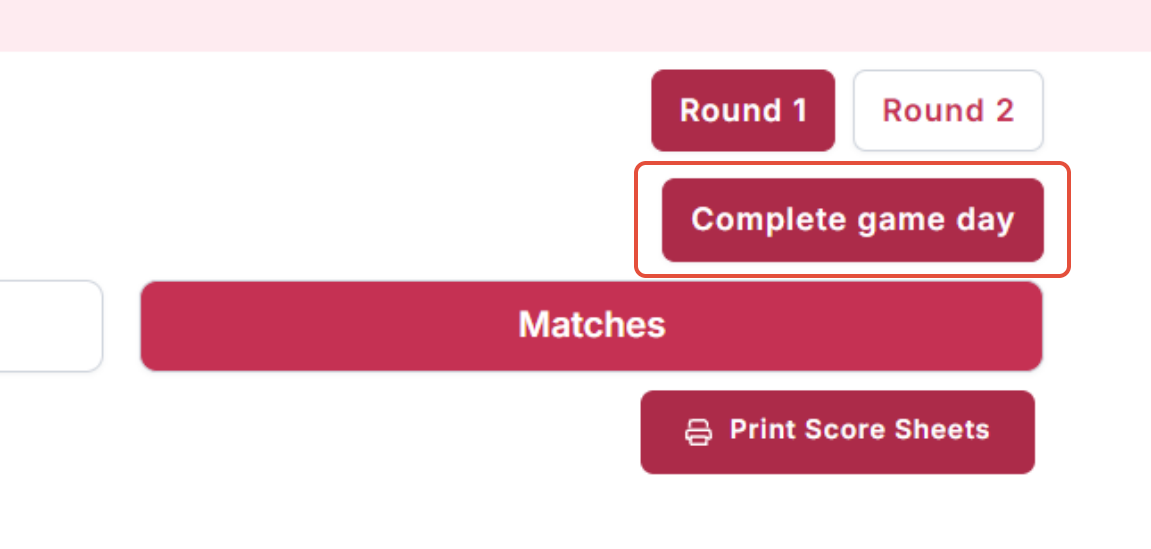
These instructions are rolling back your most current game day ONLY.


If you have to roll back several game days, please be sure to have the scoresheets available or print each groups scores so you have them to reenter.
2. Changing Scores and not concerned about rankings update.
Go to the Game Day and click on the Change Score tab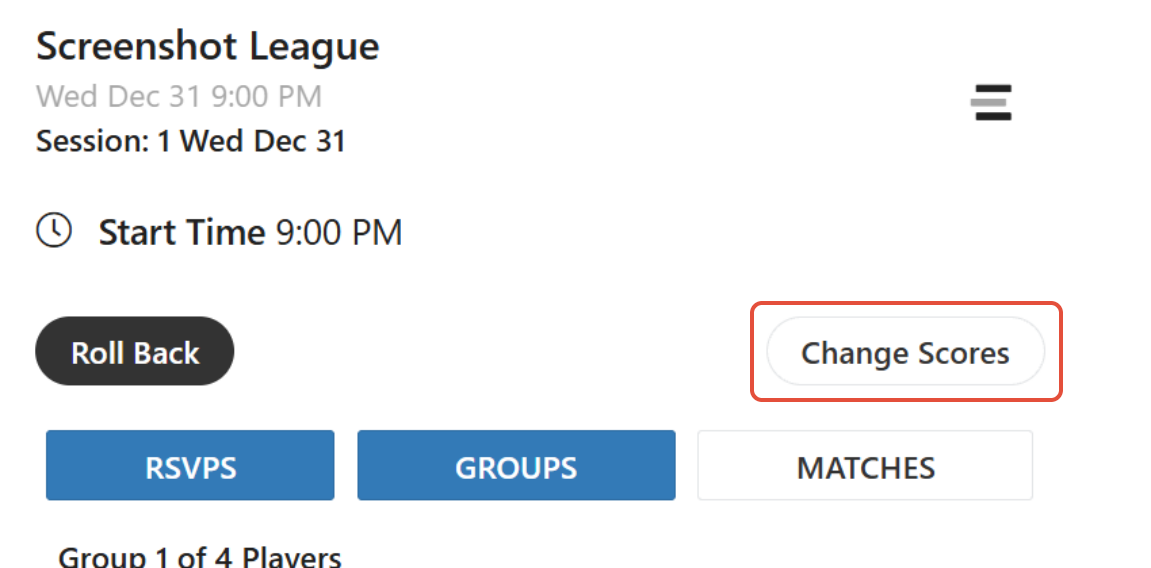
It will give you the warning that changing the scores on this screen will not update standing.

Any match score older than 90 days will not impact rating changes.
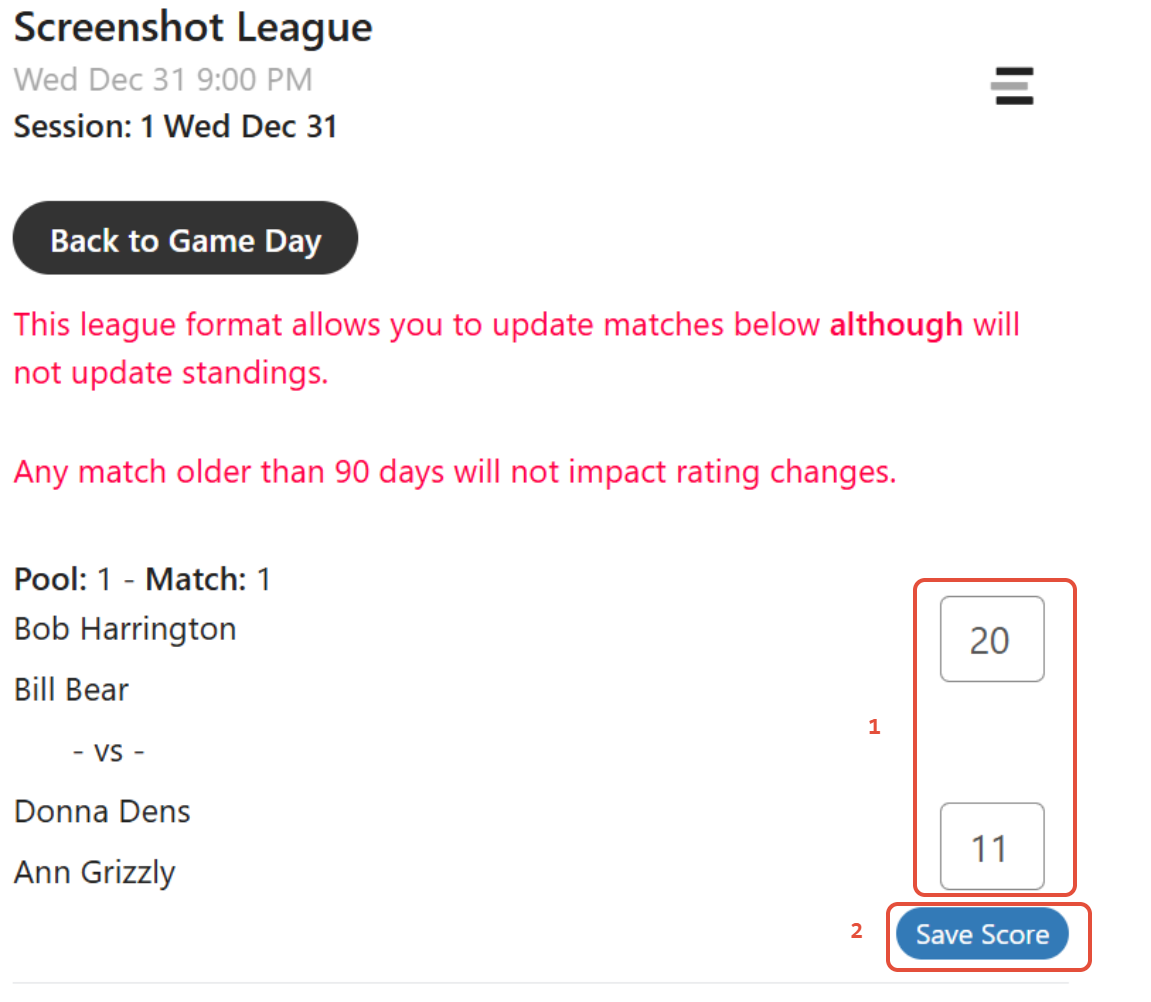
- Click on the scorebox that you would like to change
- Click on the Save Score tab to insure the score is saved.
Was this article helpful?
That’s Great!
Thank you for your feedback
Sorry! We couldn't be helpful
Thank you for your feedback
Feedback sent
We appreciate your effort and will try to fix the article