Your league and session is set. You have players that are wanting to play on your game day. This article will cover how to get those players opted in for game day. Have players not able to attend after opting in for the game day, we will show you how easy it is to opt them out.
Go To The League Game Day
Log into Pickleball.com
Under your name on your profile, click on My Leagues (1)
Then click on Managing (2)
This will display the leagues you are managing
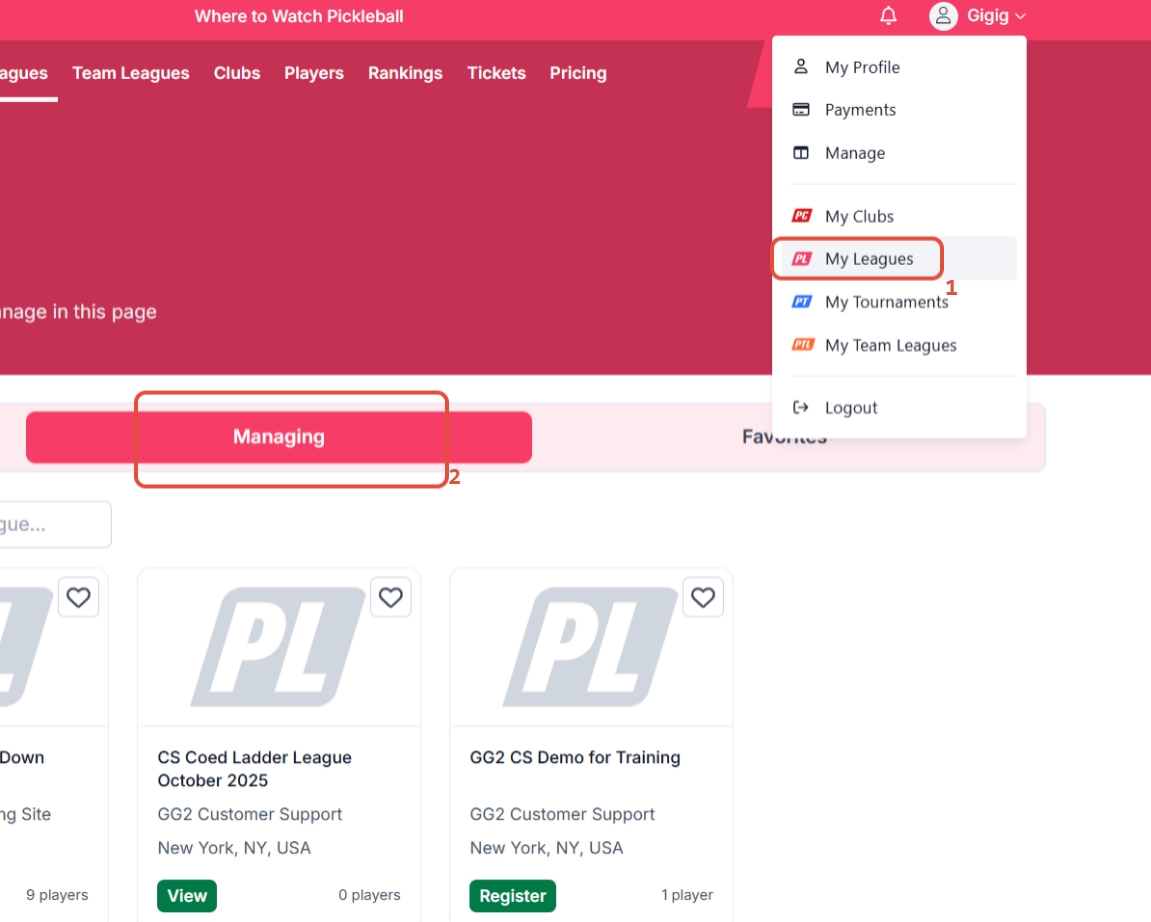
Click on the League that you working with for this player.
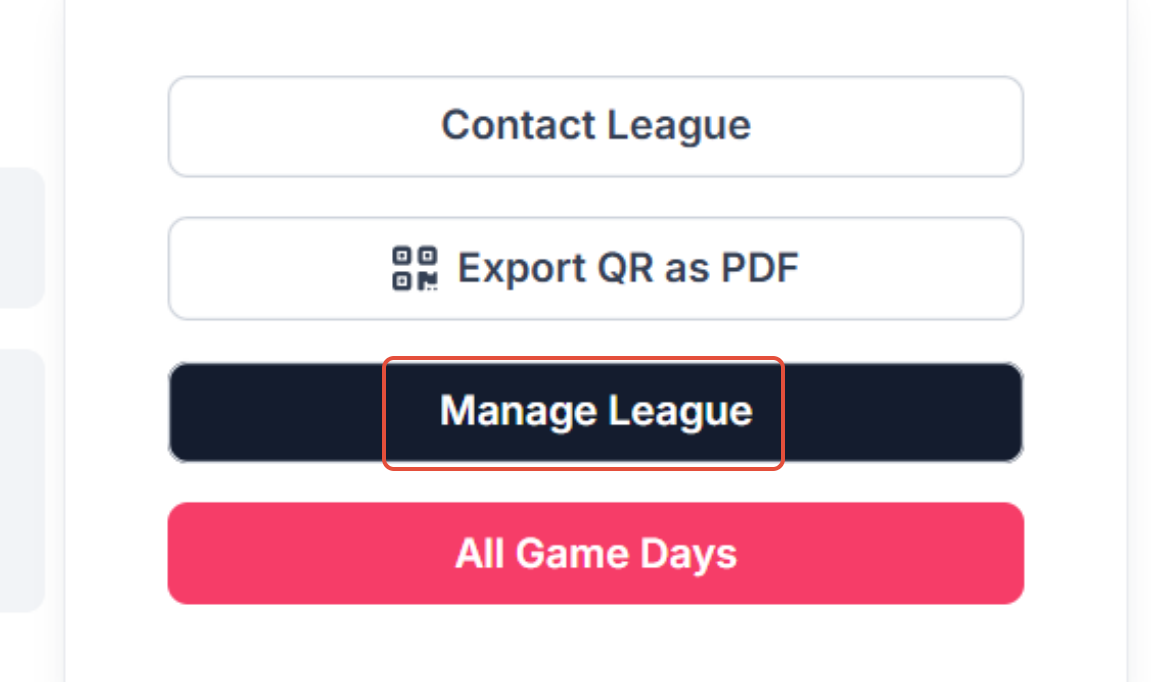
On the tournament page, click on the Manage League tab
Was this article helpful?
That’s Great!
Thank you for your feedback
Sorry! We couldn't be helpful
Thank you for your feedback
Feedback sent
We appreciate your effort and will try to fix the article