This help article covers how a parent or guardian can sign up for a pickleball tournament. This assumes the parent or guardian has already completed connecting the child's account to the parent/guardian account. If you have not yet completed that step, please see this help article first.
1. Log into the parent/guardian account and click your name on the upper right, then navigate to "My profile". 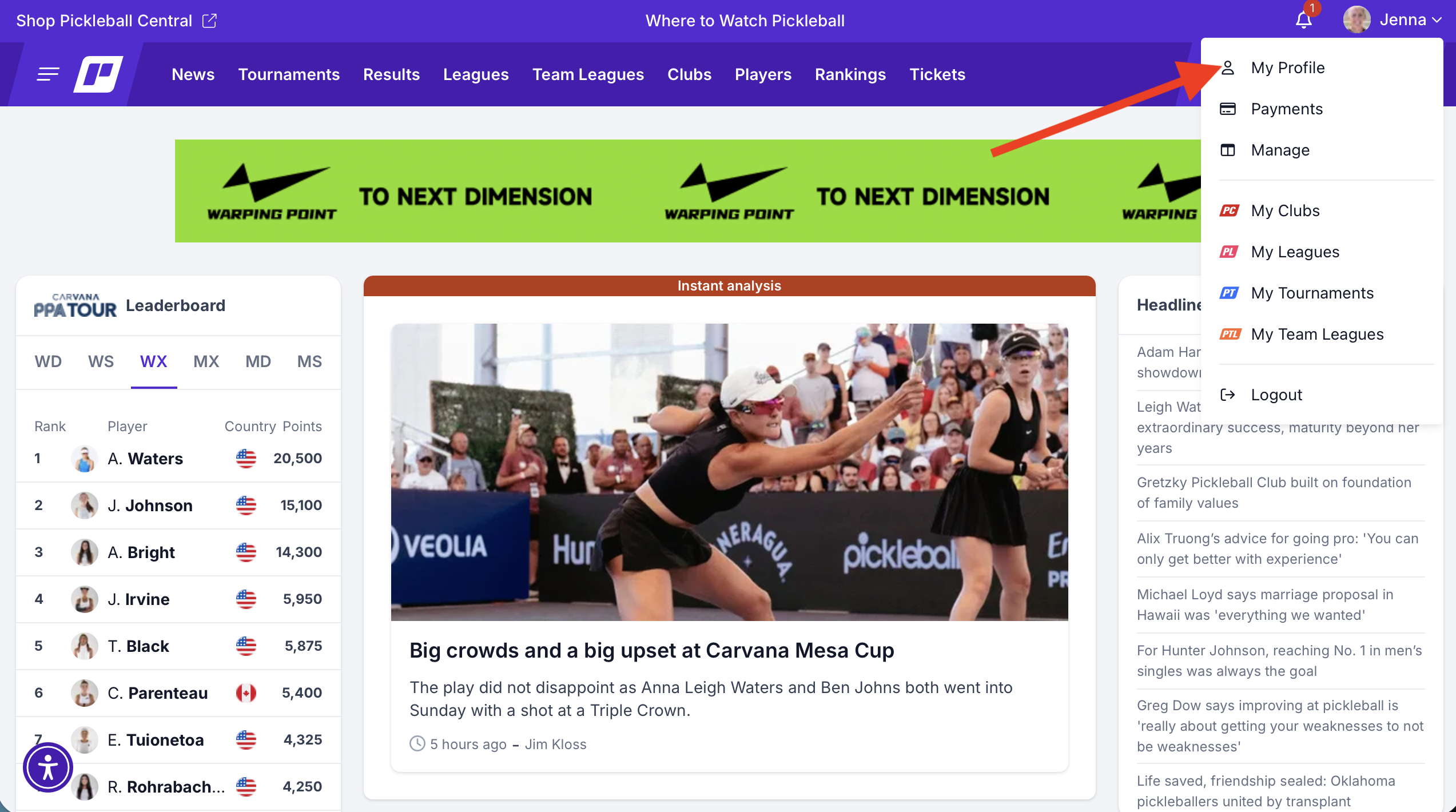
2. Once you are in your profile, click "edit profile"

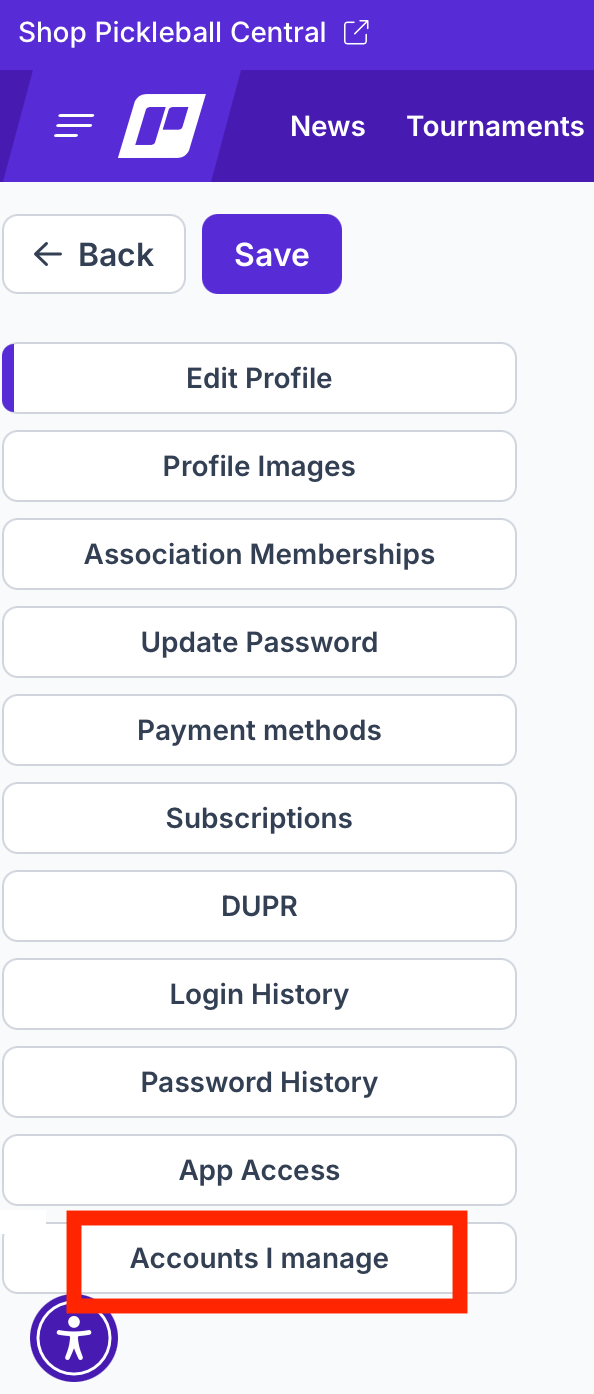
3. On the menu on the left side, scroll down to "accounts I manage"
4. Next, choose the child that you would like to sign up for the tournament, and click the Impersonate button in their box: 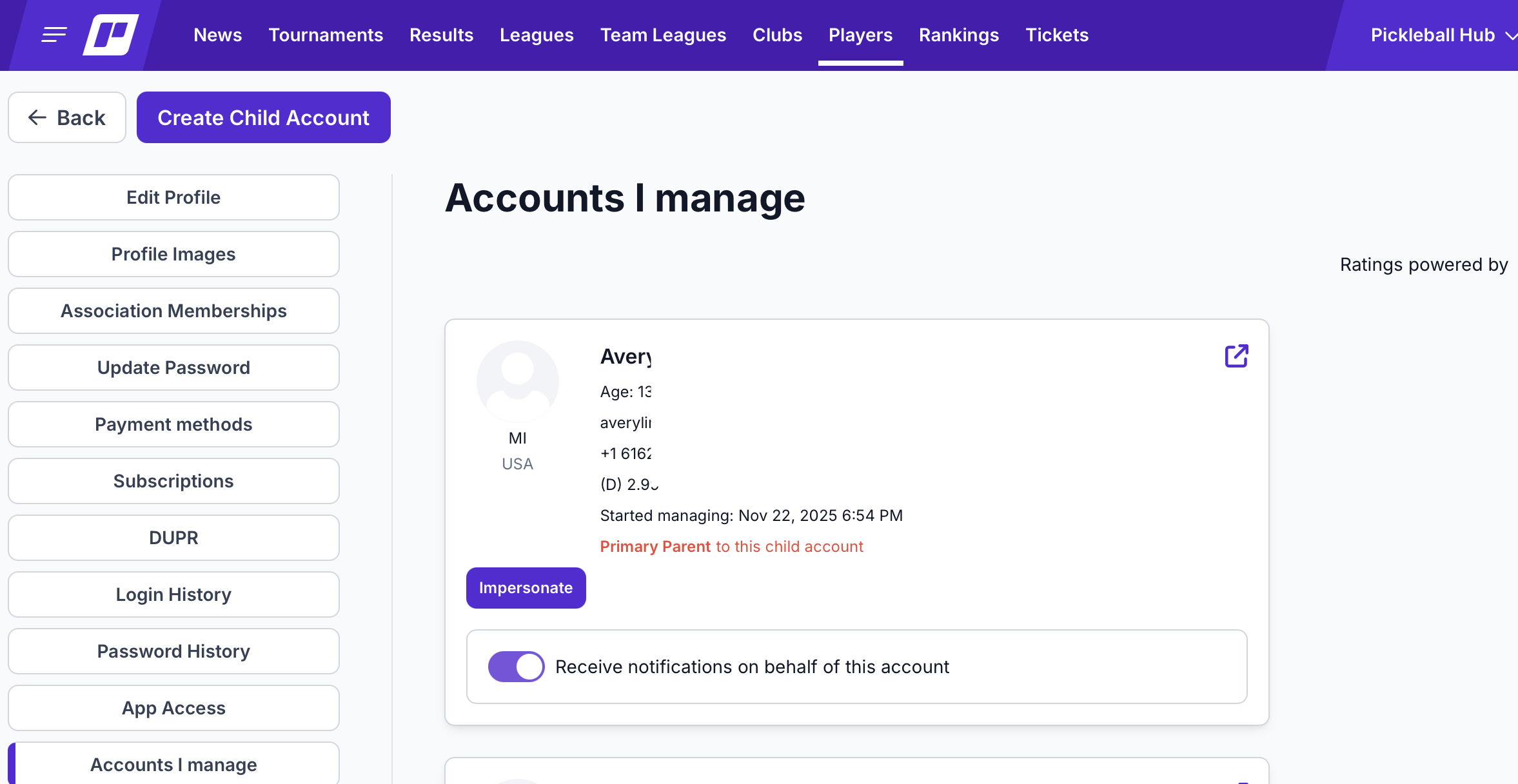
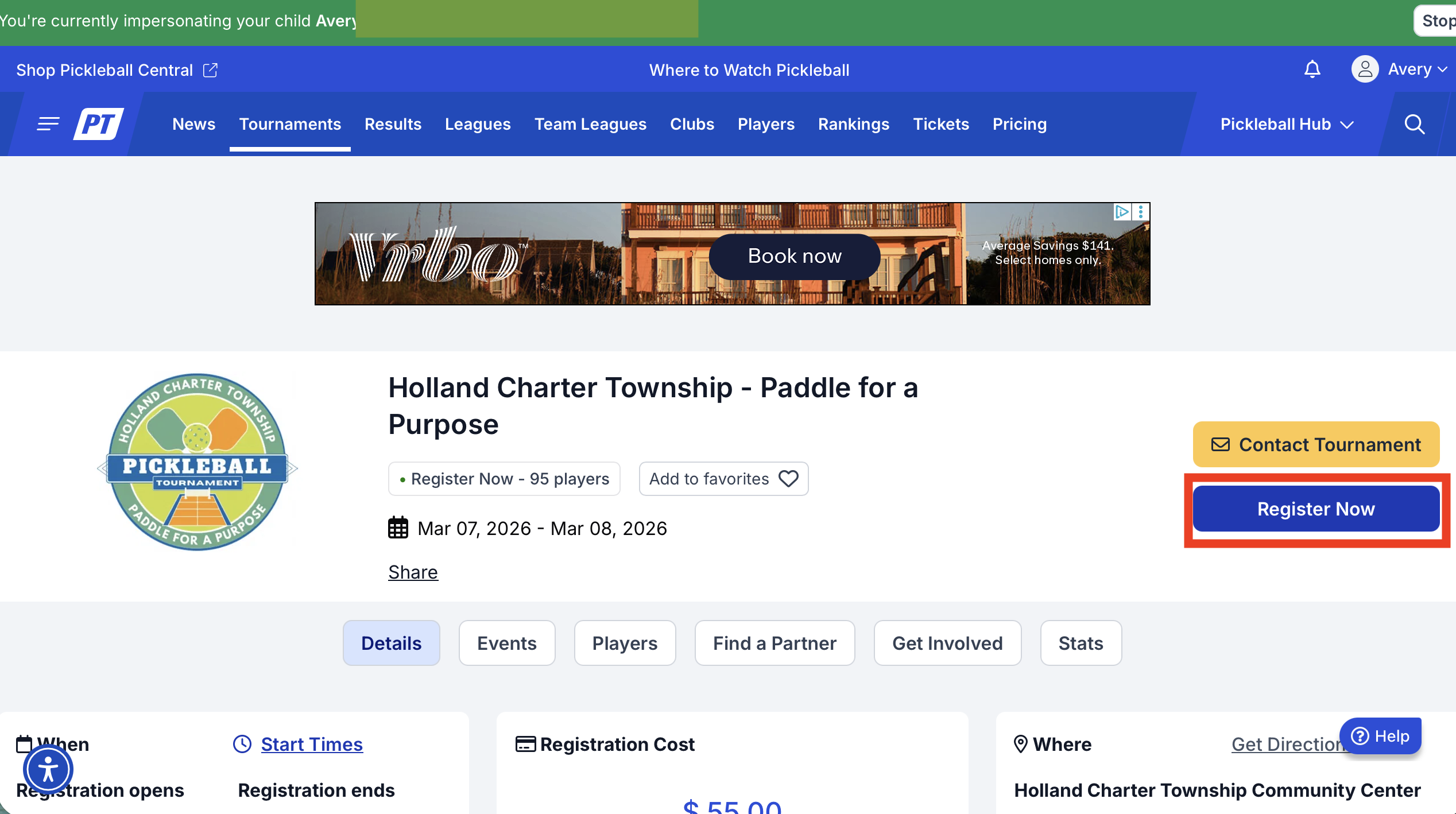
5. You'll see a green bar across the top that indicates you are impersonating your child. This means you are acting as the child in everything you do on the site.
6. Go to pickleballtournaments.com and search for the tournament you'd like the child to be registered for. Click on it to go to the main tournament page.
7. Click on the "Register Now" button to register the child and follow the prompts. The system will think that you are the child and will complete registration as the child.
8. Once you are finished with the registration, click "stop" in the upper right corner of the green bar at the top. That will bring you back to your own profile.
You can use this same method for league registration, team league registration clubs, etc. It applies across our platform!
Was this article helpful?
That’s Great!
Thank you for your feedback
Sorry! We couldn't be helpful
Thank you for your feedback
Feedback sent
We appreciate your effort and will try to fix the article