Cet article n'est pas disponible en French. Affichez-la en English
Players can easily register for tournaments by going to our website at www.pickleballtournaments.com and logging into their profile (or create one if you're new). The recommended tournaments will show up first, but you can click on "Find a Tournament" as shown below:

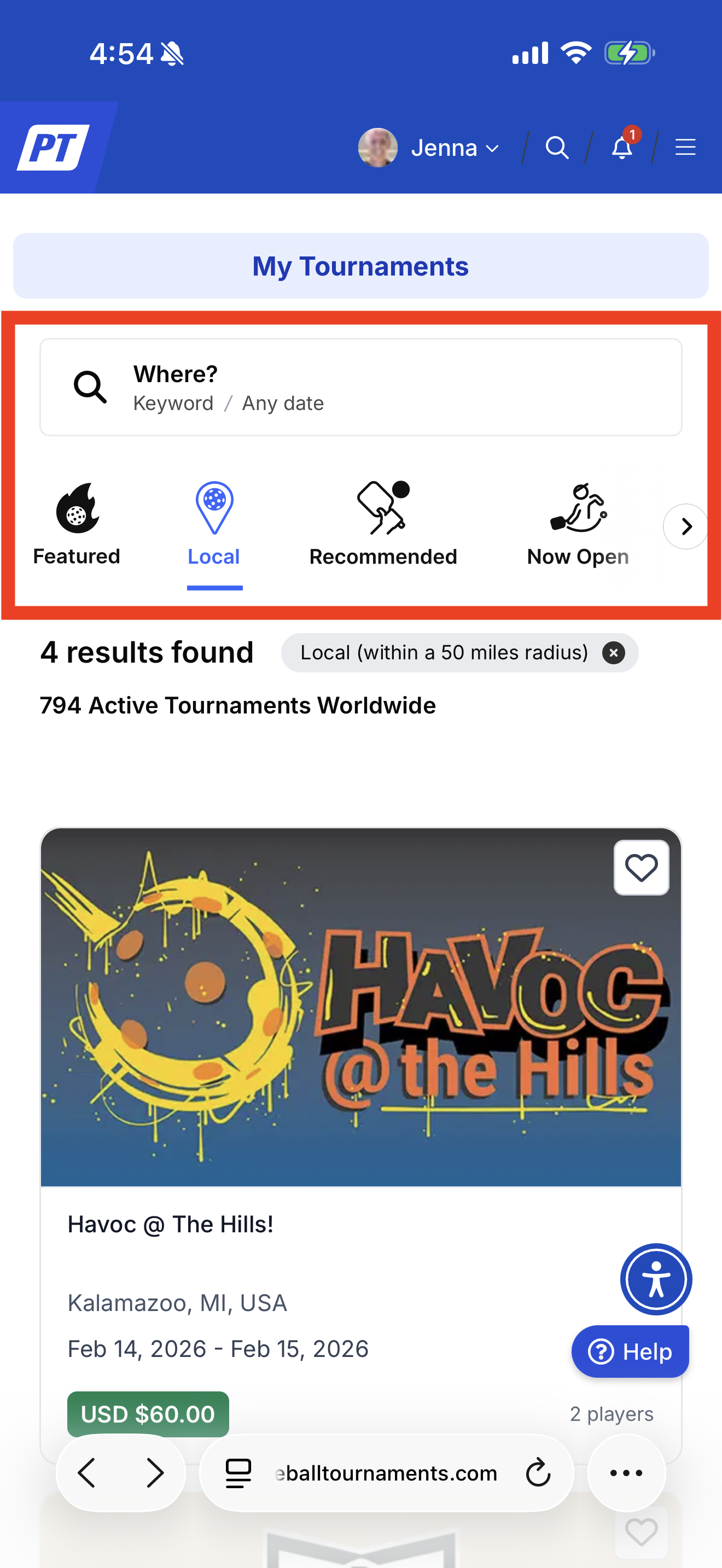
Once you click in "find a tournament" you will see an option to search by keyword, featured, local, recommended, open and more. Search by the tournament name or search locally if desired. You can change the search radius simply by clicking the + and - signs on your phone or computer.
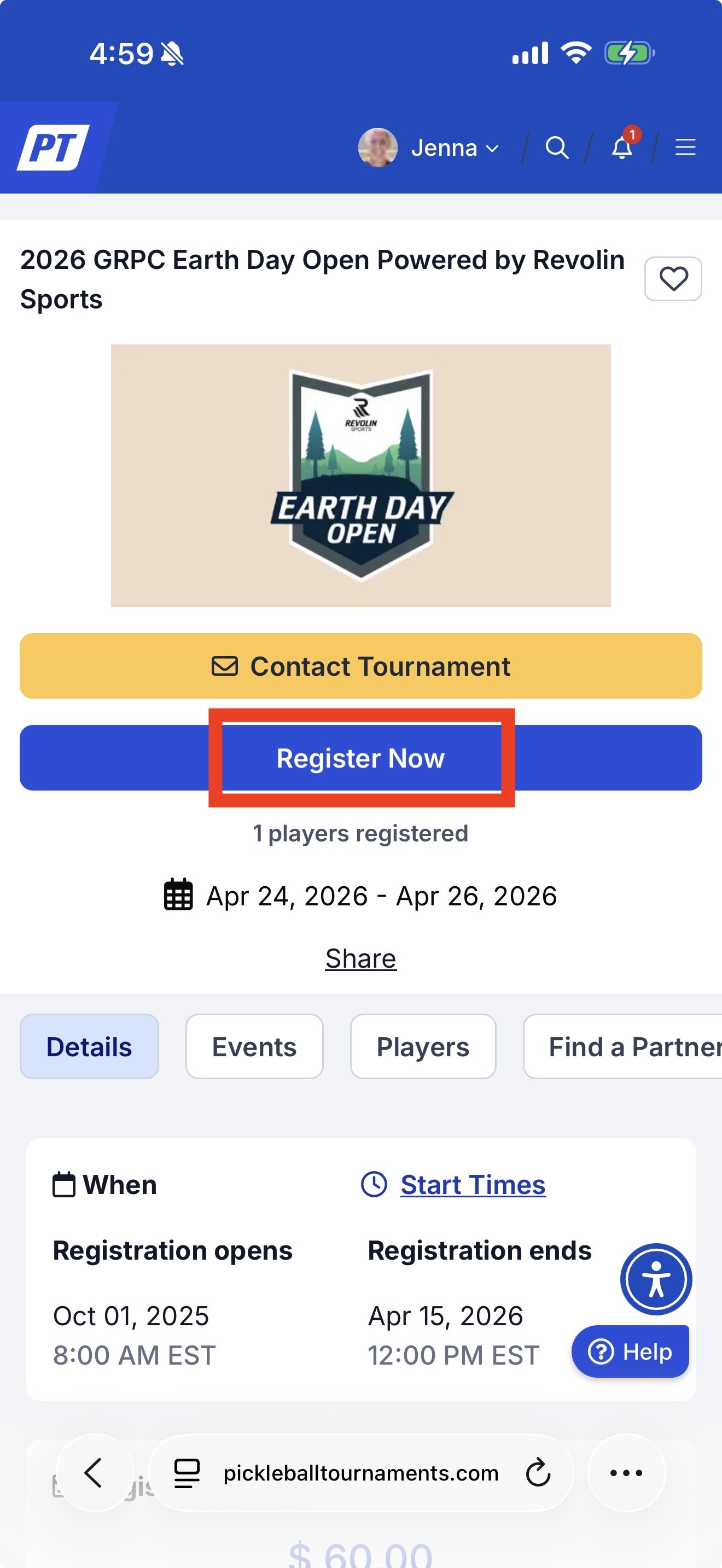
When you've found the tournament, click on the "Register Now" button.
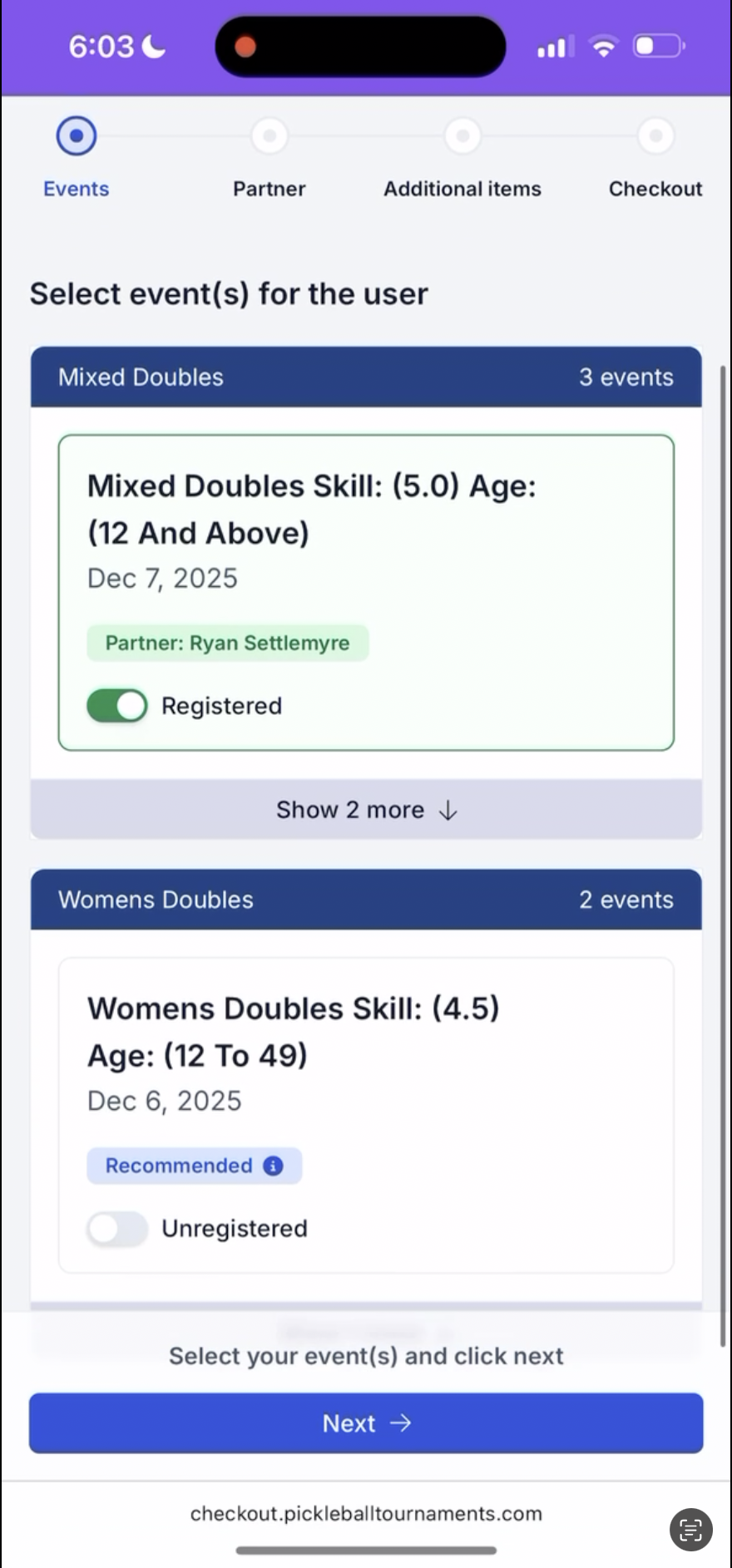
Our checkout process has a new, streamlined look. The system will automatically bring you to the recommended events, and you can click "show more" if the tournament allows you to play up in skill level, or down in age.
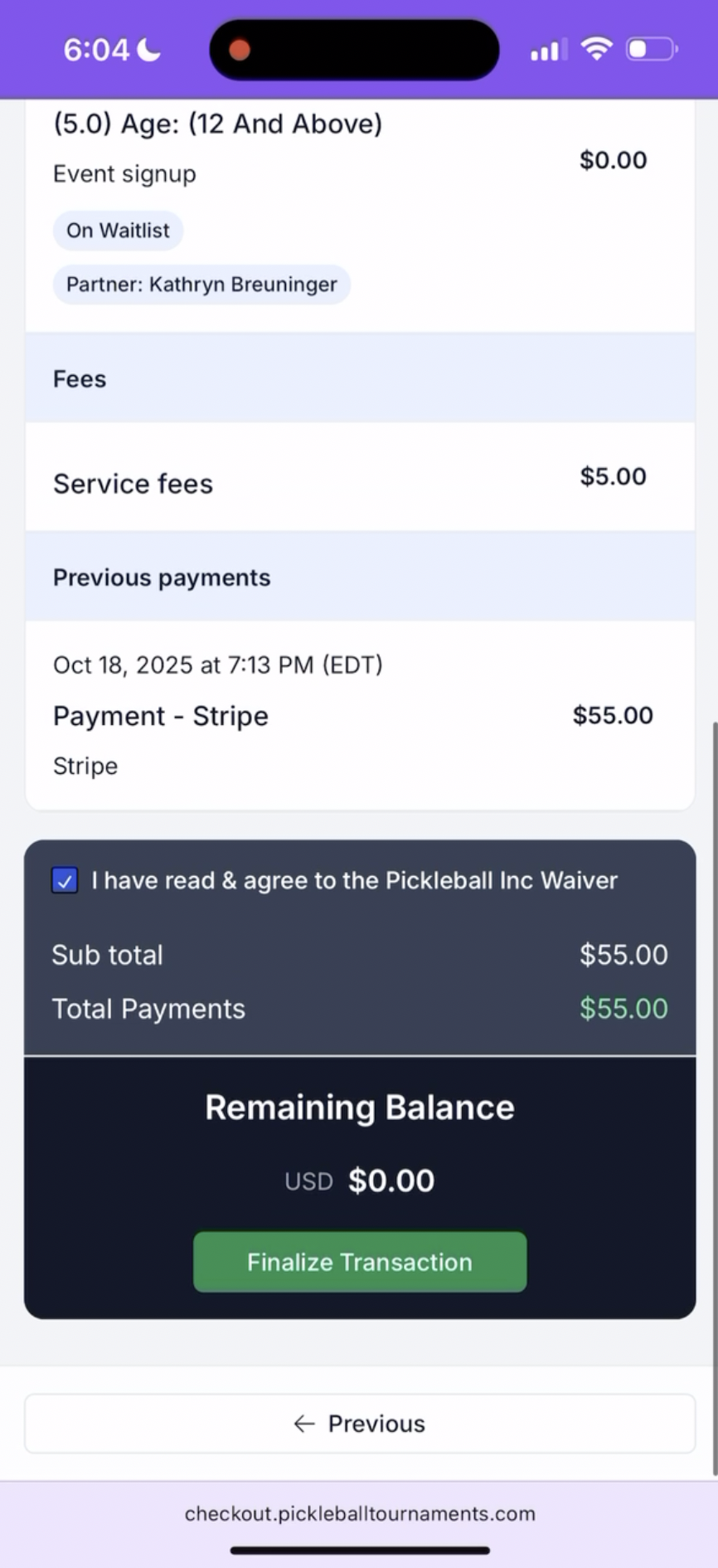
Once you've selected your partner, you'll see a straightforward "finalize transaction" button, as well as any waivers that need to be released.
After that, your registration should be complete! You'll see your receipt at the end, as well as an email copy delivered right to your inbox.
If you are not able to get into a specific event, please reach out to your local tournament director by going to the tournament page and clicking "Contact Tournament." This will send an email to that tournament who can help determine eligibility for a bracket, bracket start times, and other tournament specific questions.
Was this article helpful?
That’s Great!
Thank you for your feedback
Sorry! We couldn't be helpful
Thank you for your feedback
Feedback sent
We appreciate your effort and will try to fix the article