In your tournament 3-line menu, select "Edit Tourney" and then in the menu on the left, select "Discount Codes."
Once inside, click "Add New Discount Code." The following box will appear:
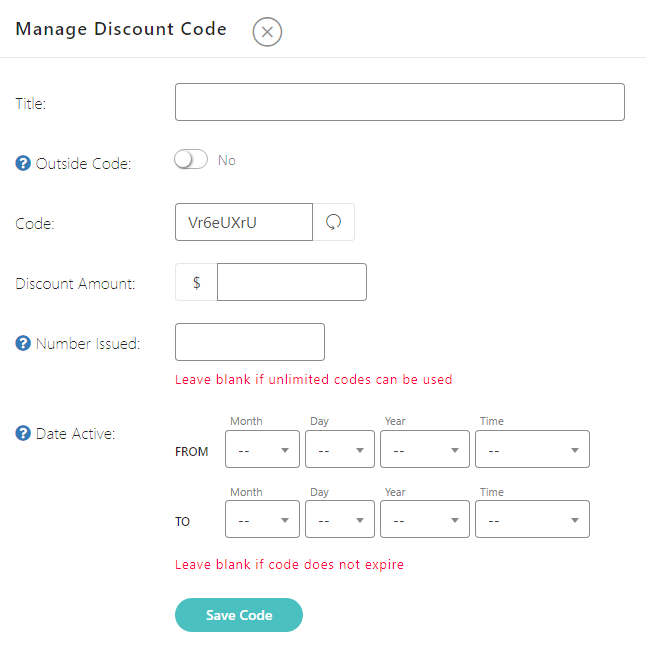
Add the necessary information where needed. You can re-write the discount code to your own, or allow the system to auto-create one for you. If you want to issue a limit on the number issued or a date that they could be used, use the boxes to do so. Click "save" at the bottom once complete with any needed information.
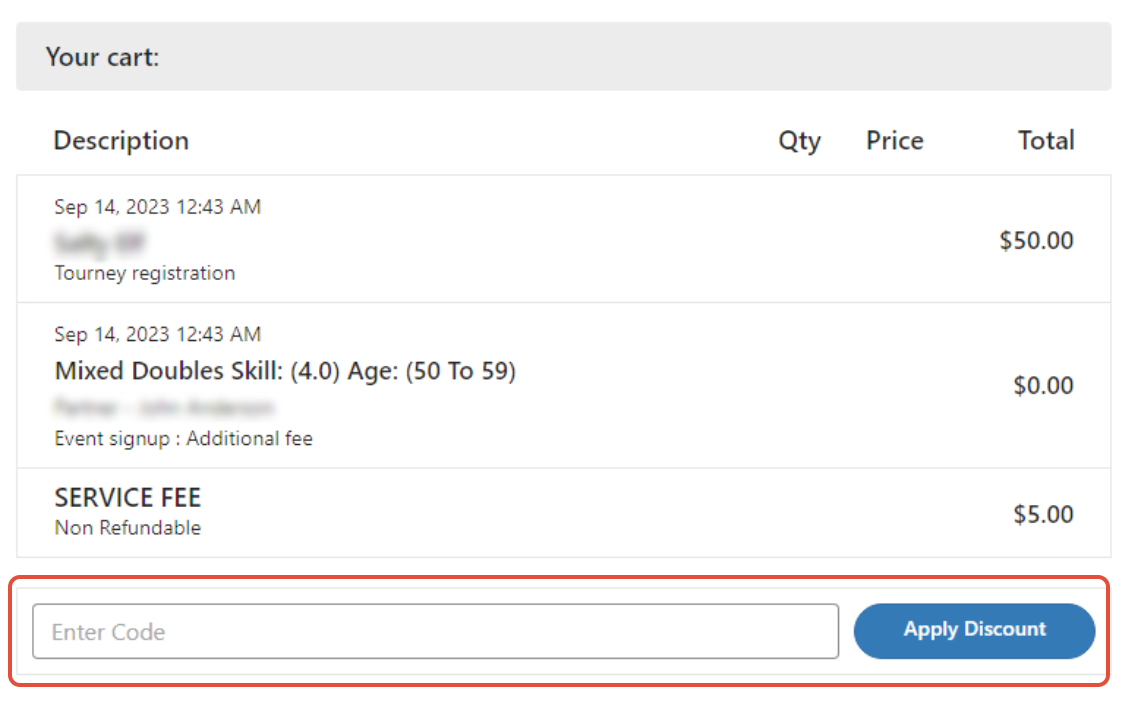
Once created, you can share this code with whoever you want. To apply, the player will need to add the code in after registering but before making payment:
Was this article helpful?
That’s Great!
Thank you for your feedback
Sorry! We couldn't be helpful
Thank you for your feedback
Feedback sent
We appreciate your effort and will try to fix the article