TABLE OF CONTENTS
DISCOUNTS
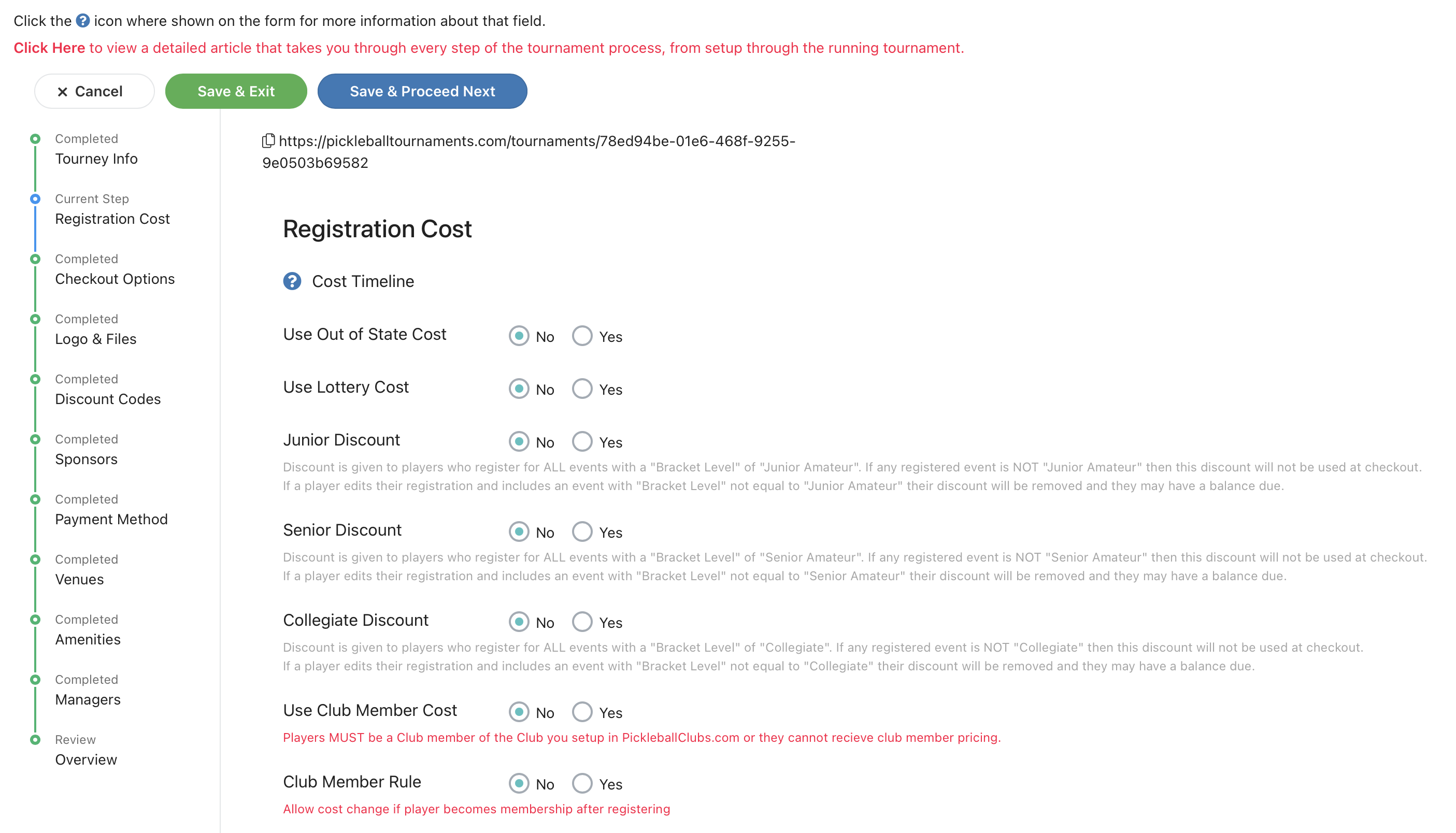
The software allows you to set discounts for various options at the top of your registration cost page. Please feel free to read the descriptions and use as needed or desired.
REGISTRATION COSTS
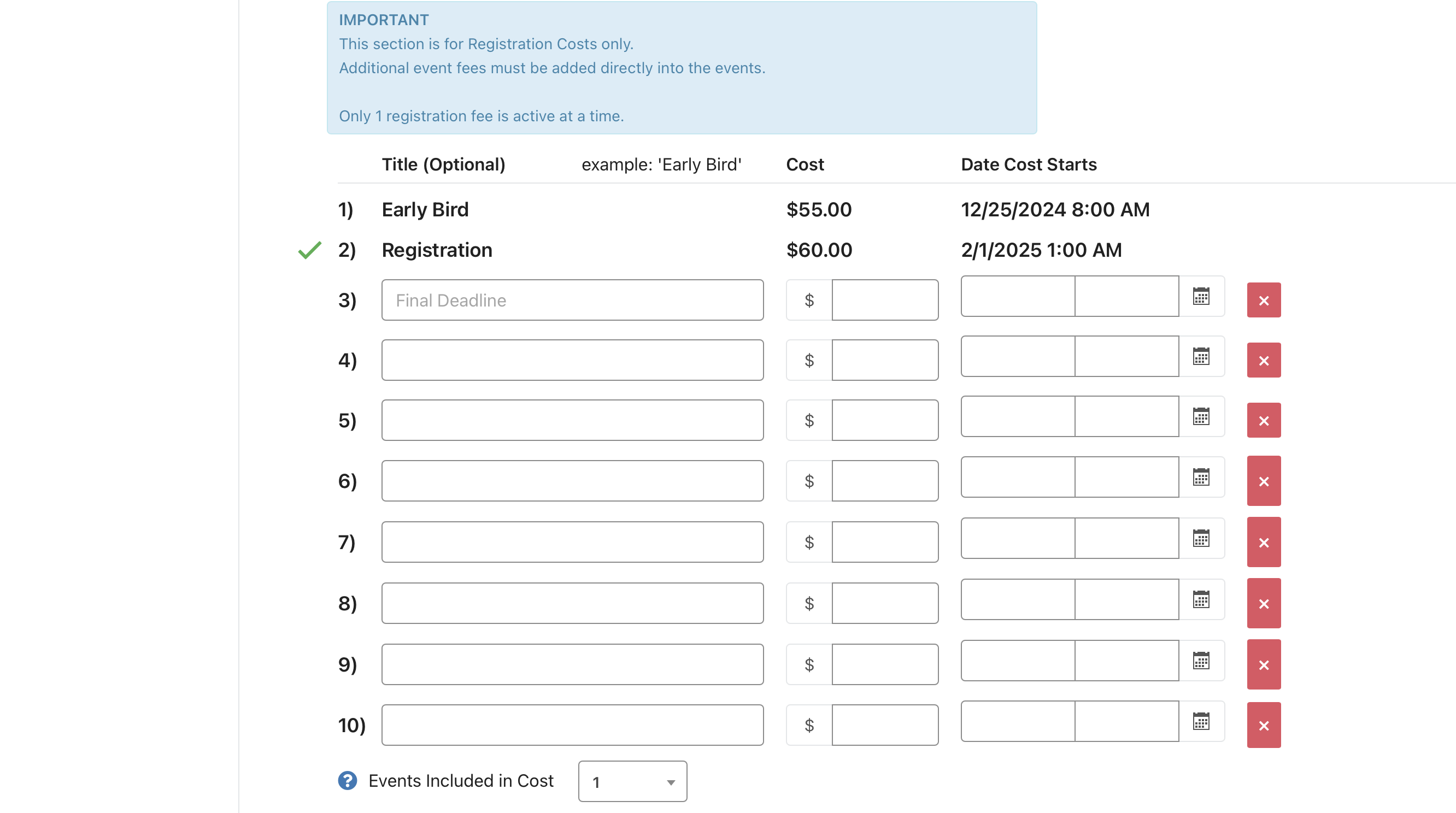
In the lower part of the registration screen (screenshot below), you will see the registration cost portion. The software allows you the ability to set up different registration costs that are set to begin on specific dates. Note that you may only have ONE cost active at a time, and each cost takes over at a certain date, and that date can be in the future.
In the below example, the Early Bird registration begins on 12/25/2024 at 8:00am, and would end at on 2/1/2025 at 1:00am when the Registration amount of $60 kicks in. You can also add "Late Registration" to kick in at a certain date if you would like to charge your registrants more for being late.
This section is for your Registration amount only, meaning: if you wish to charge additional amounts for events, those need to be added into the Event directly. Tournaments are limited to these 10 options only, and can only be deleted if no one registered under that cost. Once someone registered under that cost, it is not changeable or deletable. So please be careful to set up your times, dates, and costs accurately.
Was this article helpful?
That’s Great!
Thank you for your feedback
Sorry! We couldn't be helpful
Thank you for your feedback
Feedback sent
We appreciate your effort and will try to fix the article