If a player no longer wants to receive Marketing or other communications from Pickleball.com, there is a simple way to remove all or select emails.
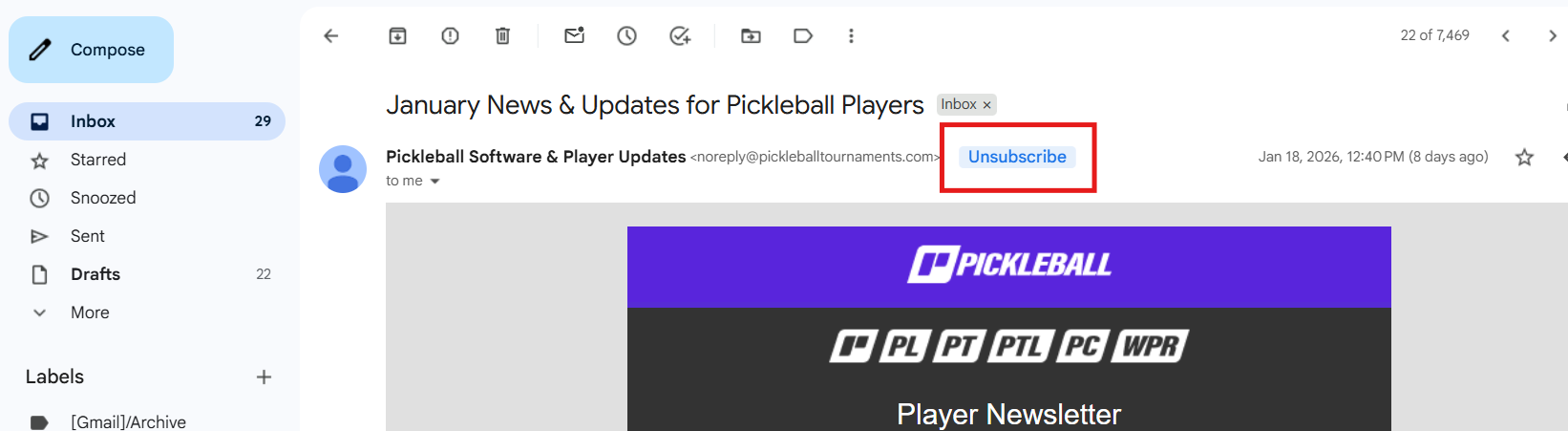
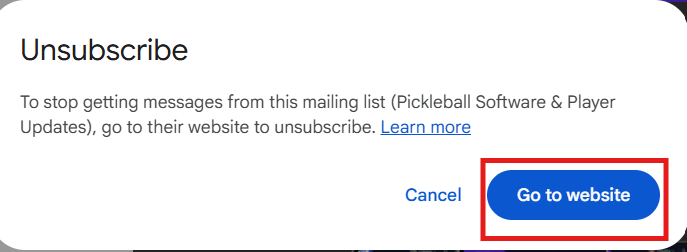
Head to an email you received from Pickleball.com. Locate and select the "Unsubscribe" button and then "Go to Website" on the pop up selection:
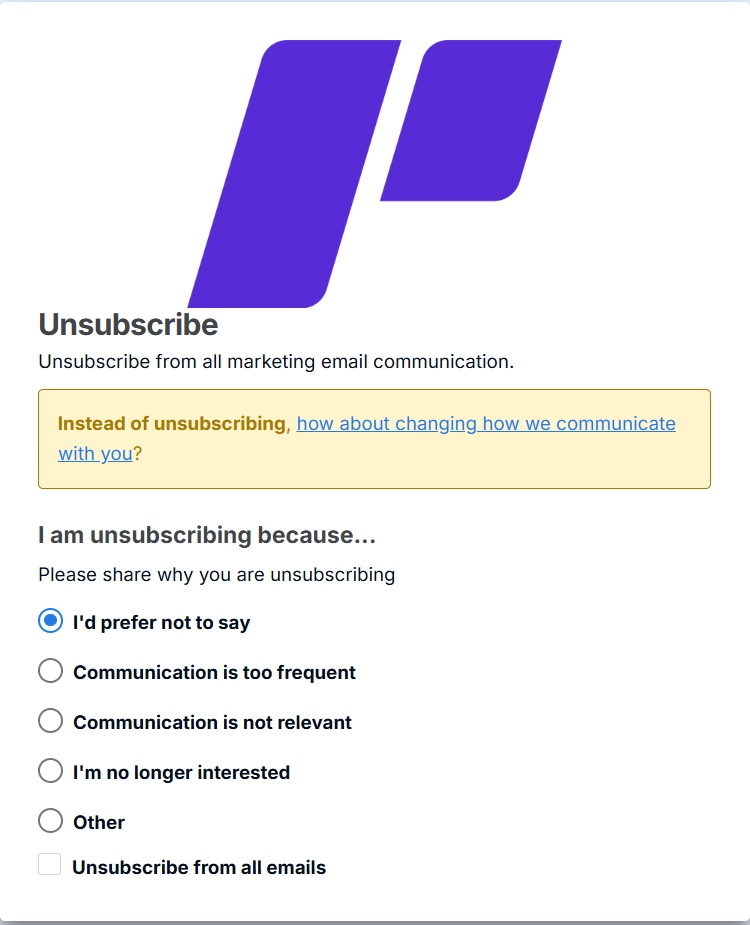
If you want to remove all emails, choose one of the following selections. If you prefer not to give a reason as to why you are unsubscribing, select the bottom option "Unsubscribe from all emails." All the options at the bottom will unsubscribe you.
If you do enjoy some of the emails you receive and want to choose what emails you receive and what you don't, select the "How about changing how we communicate with you" option:
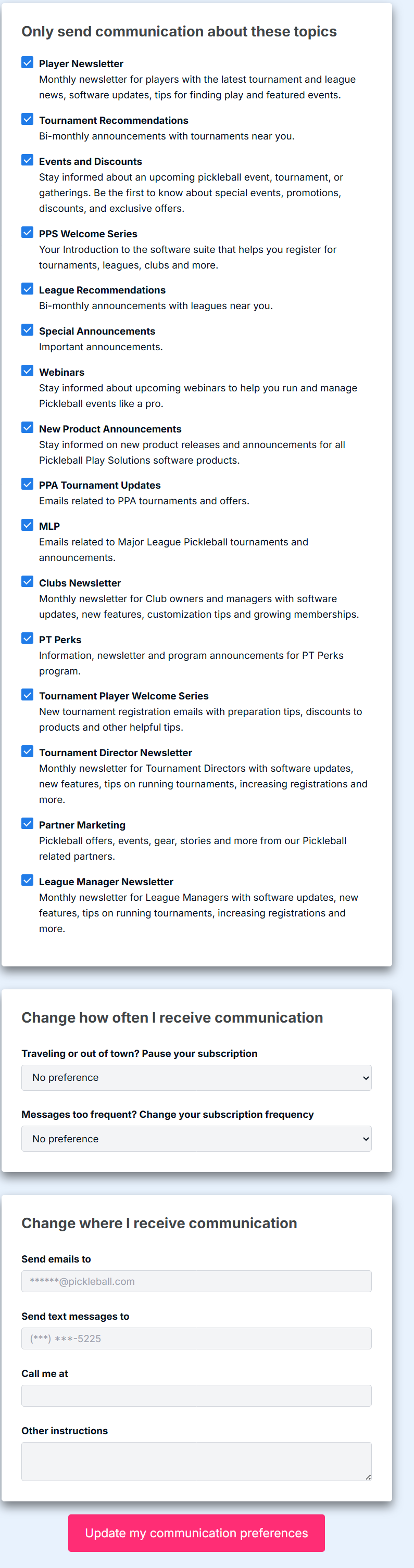
This page will allow you to select/remove specific emails, how frequently you receive those emails, and how we are communicating with you. Once the desired changes are made, click on the "Update my Communication Preferences" option at the bottom and you are done.
Was this article helpful?
That’s Great!
Thank you for your feedback
Sorry! We couldn't be helpful
Thank you for your feedback
Feedback sent
We appreciate your effort and will try to fix the article