Understand My League Schedule
Here is a sample of what My League Schedule looks like with explanations of what you might see.
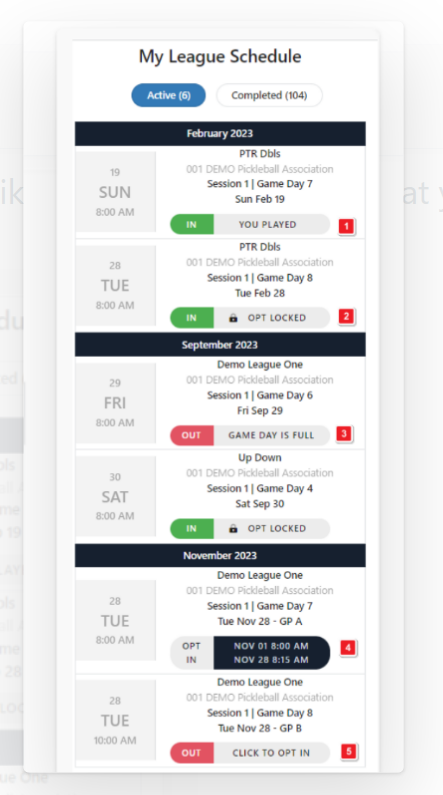
- Indicates a past game day that the player already participated in.
- Indicates that opt in is locked and the player is in. Only a league manager can opt a player out after the game day opt in is locked.
- Indicated that the game day is full and the player is out.
- Indicates that the player is not in but the opt in period has not yet started.
- Indicates that the player is out but may still opt in for the game day.
Was this article helpful?
That’s Great!
Thank you for your feedback
Sorry! We couldn't be helpful
Thank you for your feedback
Feedback sent
We appreciate your effort and will try to fix the article