To view how to close a bracket, go to the 4:06 min mark of the video above. Or, instructions are below for how to finalize your bracket after scores are entered.
Once an event is completed in the "Live Console," Select the red "Complete & Verify Medal Assignment" option:
*Note -this option will NOT be available unless every match has a result entered. If your bracket was canceled due to rain or any other reason, you need to cancel those matches to complete the bracket.
ONLY COMPLETED BRACKETS ARE INCLUDED IN RATINGS!!

The Medal results are already pre-determined. Please verify the standings, and once you are satisfied, use the "Save & Complete Event" option.
The event will now show on the "Completed" tab:

If it is determined that an error has been made in scoring, and it is within 5 days of the completion of the tournament, you can make a change to the result. To do this, go to the event, select options next to the event title, and then click "unlock all scores" (see below). Using this action WILL NOT delete any scores. DO NOT use the start over/Un verify options as that WILL delete all results.
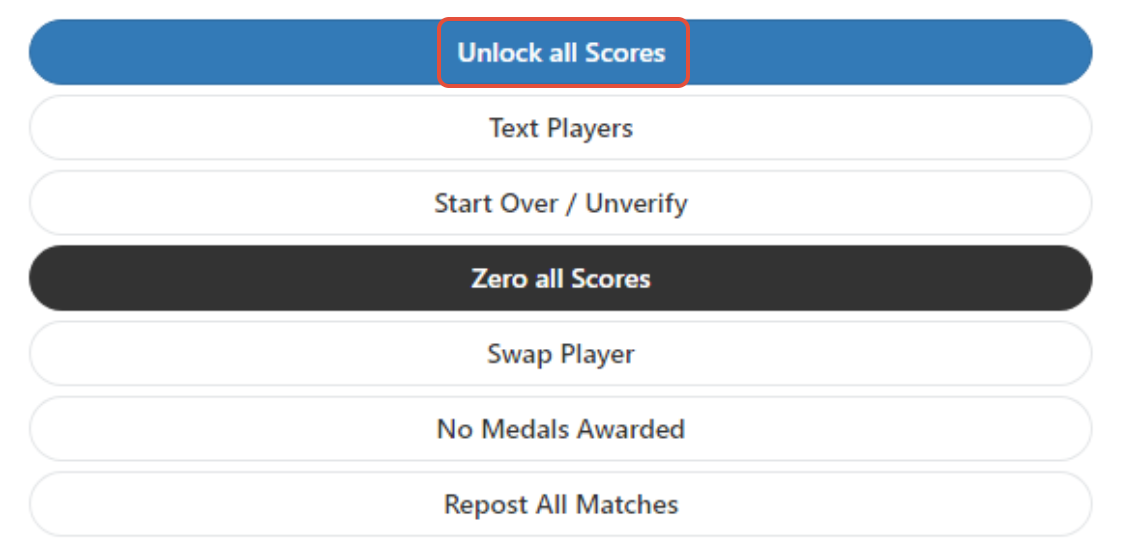
If you unlock the scores, be sure to lock the event again once changes have been completed.
Was this article helpful?
That’s Great!
Thank you for your feedback
Sorry! We couldn't be helpful
Thank you for your feedback
Feedback sent
We appreciate your effort and will try to fix the article