Adding Sponsors is demonstrated at about the 1:36 min mark of the video above. The steps are simple however, and are outlined in the help doc below.
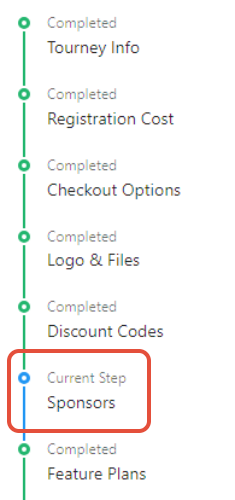
Once logged into your tournament, use the 3-line menu to access "Edit Tourney" and then Sponsors from the Menu on the left:
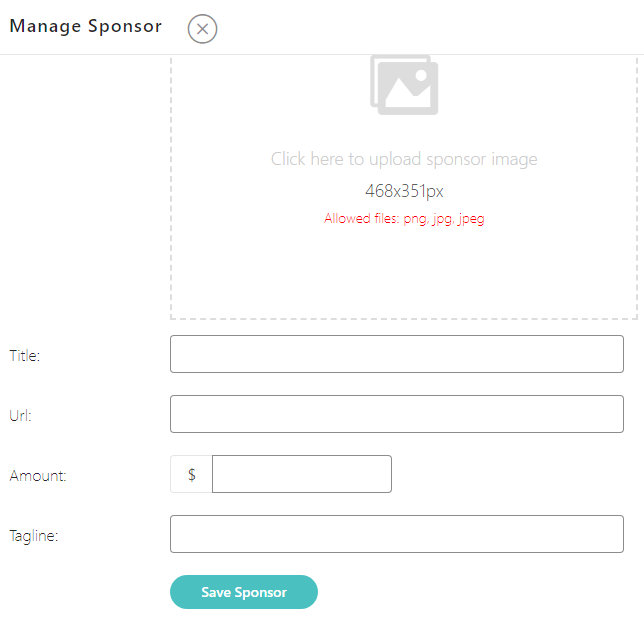
Click on the "Add New Sponsor" to open the below box. Please note that sponsor images should be 468 x 351 px and allowed files are .png, .jpg, or .jpeg.
The URL line is helpful if the Sponsor has a sight they wish the tournament player to visit. The Tagline if for the company's catch phrase. An example would be Nike's tagline is "Just Do It."
Tournament Sponsor Logos will be displayed at the bottom of the main tournament listing, as well as all emails sent by the tournament.
Was this article helpful?
That’s Great!
Thank you for your feedback
Sorry! We couldn't be helpful
Thank you for your feedback
Feedback sent
We appreciate your effort and will try to fix the article