For a full comprehensive instruction on how to set up a tournament, please see our help doc here.
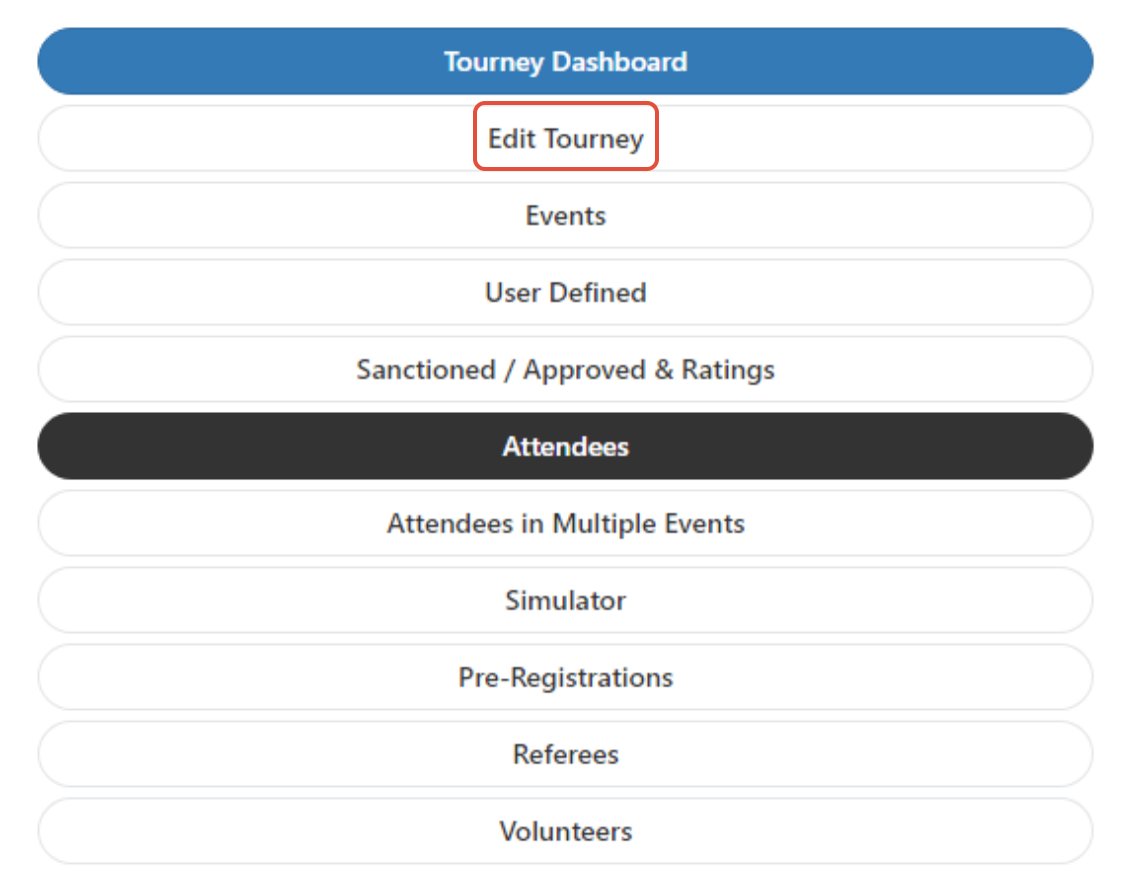
To find online registration settings, go to your tournament menu, and select "Edit Tourney"
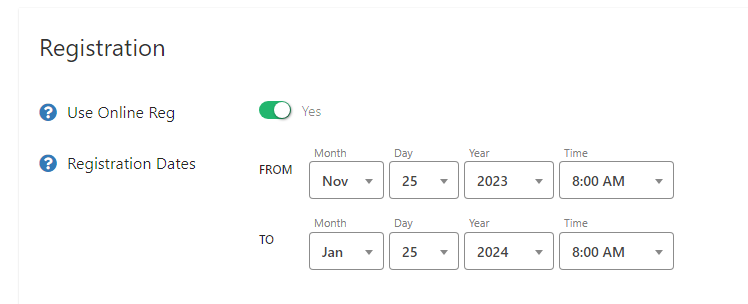
The option "Use Online Reg" must be turned on to utilize online registration. Under Registration Dates, the FROM section indicates when you want registration to begin, the TO section is when you want registration to close. Be sure to allow enough time to finalize your brackets. We recommend shutting off your registration at least a week prior to the tournament, and more if you are new to the software. You can always come back and make changes to extend registration if needed.
Was this article helpful?
That’s Great!
Thank you for your feedback
Sorry! We couldn't be helpful
Thank you for your feedback
Feedback sent
We appreciate your effort and will try to fix the article